Responsly team collaboration lets multiple people work on the same survey projects instead of managing forms in one account. On Business and Professional Enterprise plans, you can invite teammates, share access to projects, and collaborate on both survey setup and response analysis.
Create a team and invite members
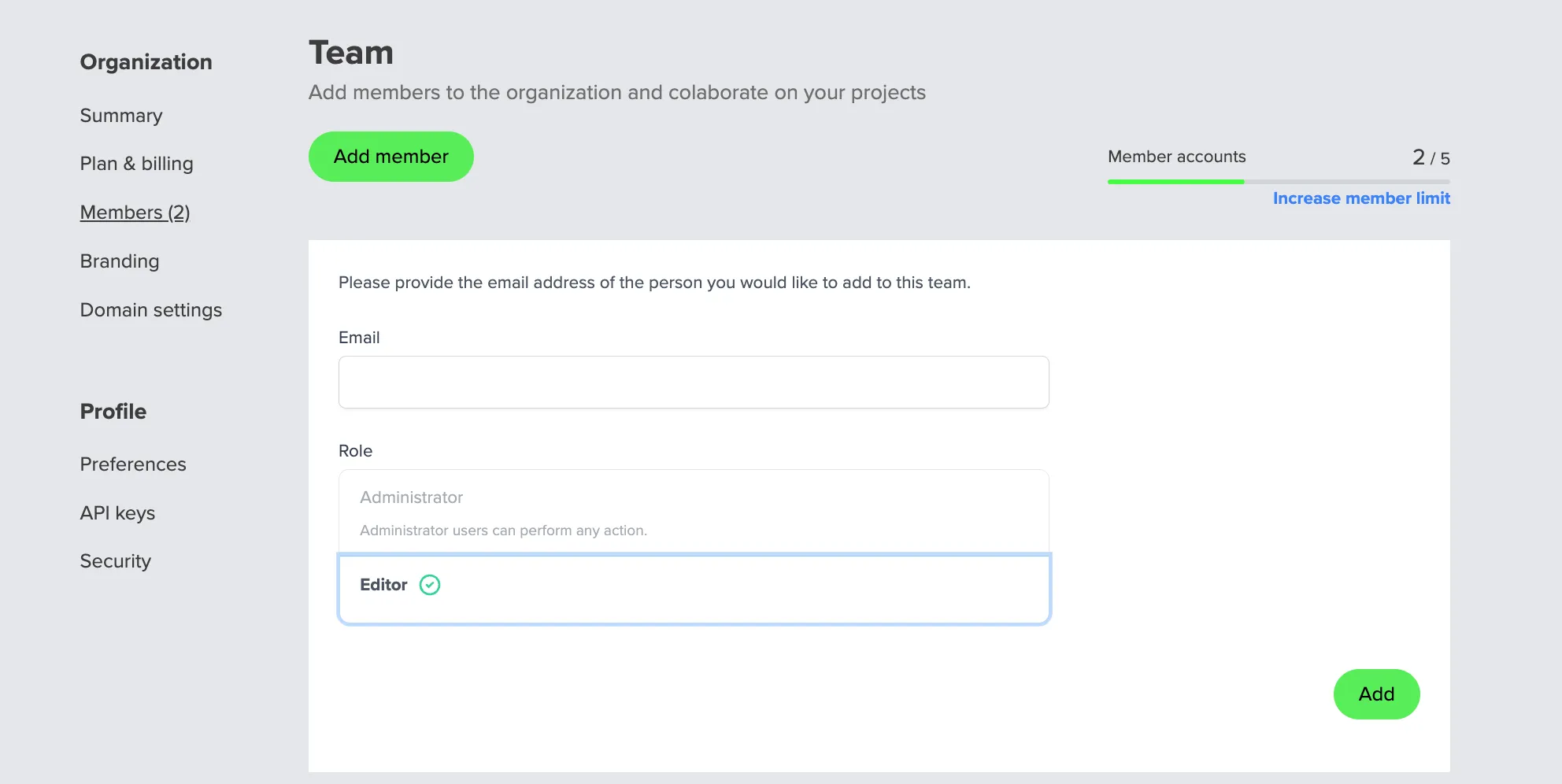
- Open My account → Profile → Members.
- Add users to your organization.
- Assign them to the projects they should collaborate on.
Once added, team members can participate in project work based on your workspace setup.
Share surveys and results across departments
Team access is especially useful when HR, Operations, Product, or Customer Success teams run related questionnaires and need one shared workspace.
With shared projects, your team can:
- build and edit surveys together,
- manage distribution from the same project,
- review results without exporting ownership between accounts.
If you also run many forms, use folders and survey copies to keep projects organized.
FAQ
Who can create teams in Responsly?
Team collaboration is available on Business and Professional Enterprise plans. If your workspace is on one of these plans, you can invite members and share projects for joint work.
Where do I invite members to a team?
Open My account → Profile → Members, then add people to your organization so they can access shared projects.
Can team members collaborate on both surveys and results?
Yes. Team members can work together on survey projects and review results, which is useful when multiple departments use the same questionnaires.