AI Survey Generator

Generate surveys, forms, quizzes, tests and questionnaires with AI. Describe the topic and get an editable first draft in about 20 seconds. See it in action ⤵️


15+ years on the market, trusted by 1,000+ organisations around the world to collect feedback and bring valuable insights
  1. Red Bull
  2. Schindler
  3. Bayer
  4. Booksy
  5. KraftHeinz
  6. Danone

How long the AI takes to write the first draft of a survey on your topic

20 seconds

Question types the generator picks from to match your goal

25+

Languages — same prompt, a questionnaire in your respondents’ language

30+

Integrations the results of a generated survey can flow into

100+


What the AI survey generator writes for you ✨

  • 🤖 A whole survey from one sentence

    Describe what you want to learn and who you are asking. The AI picks the question types, puts them in a sensible order and writes the welcome and thank-you messages. What you get is a finished draft open in the survey builder, not a list of loose questions to assemble.

  • 🎯 Questions that measure something

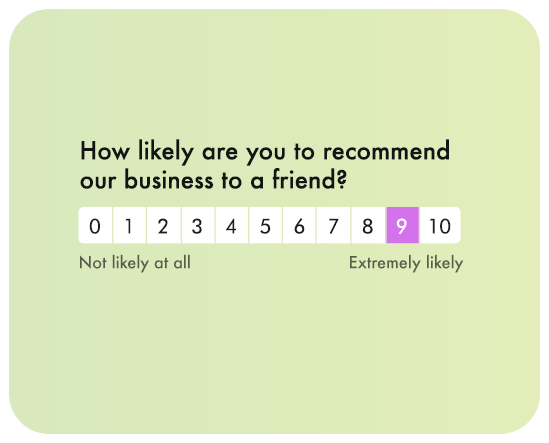
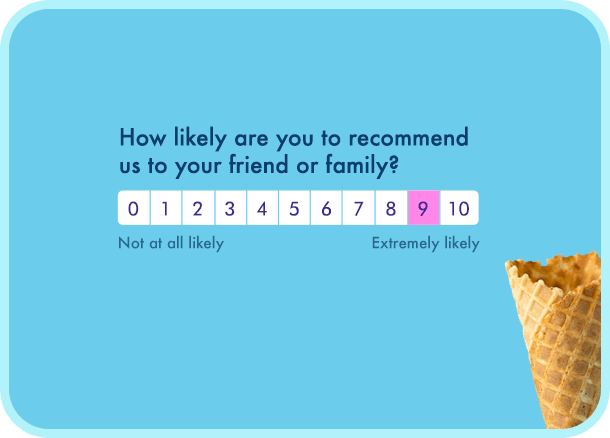
    Scales, single choice and open question types are matched to your goal, and standard metrics keep the wording their methodology requires — NPS, CSAT and CES stay comparable with your earlier results. Ask for a shorter, clearer or less leading version and the AI rewrites just that question.

  • 🌍 Any language, same prompt

    Generate the questionnaire in the language your respondents speak, then add more languages to the same survey with one click. Replies come back translated for analysis, so a Polish and a German answer sit in one report instead of two.

  • 🔀 Logic proposed, not bolted on

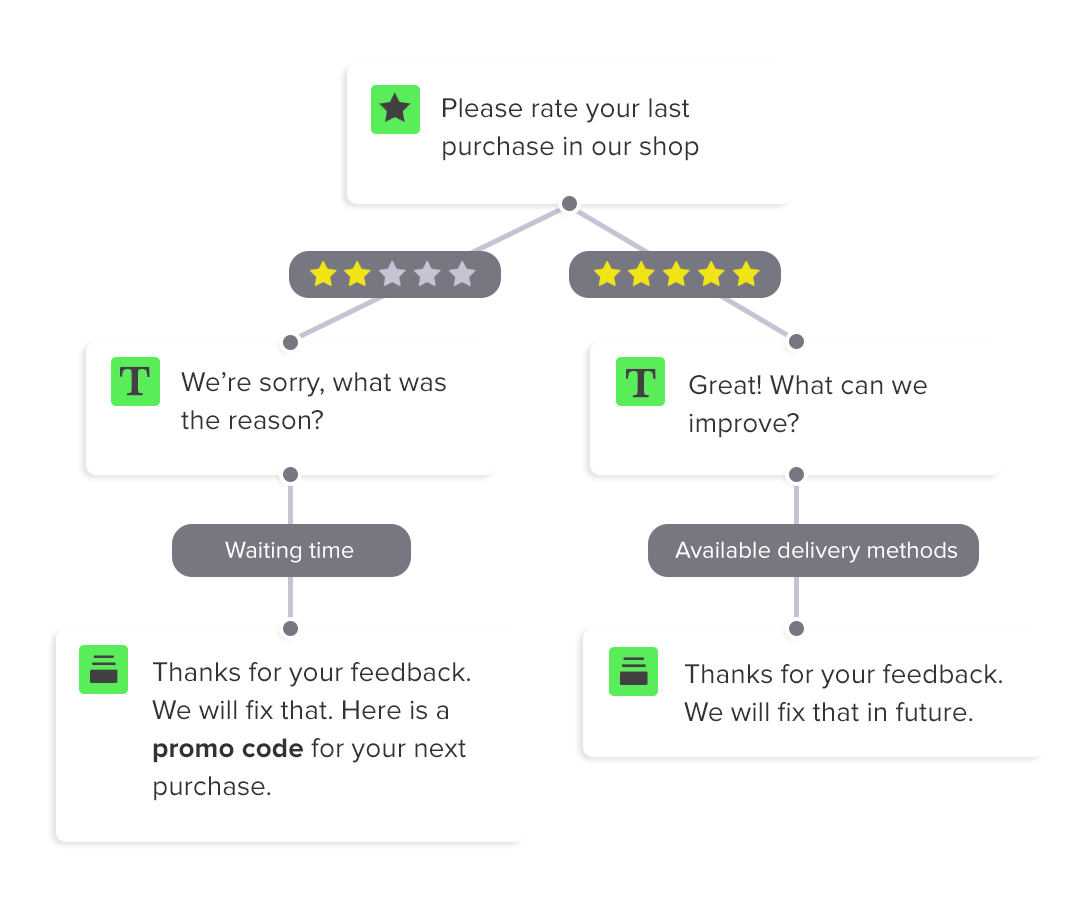
    The AI suggests follow-up questions that appear only for the people they concern — a detractor gets asked what went wrong, a promoter does not. Every branch stays editable, so you can delete or reroute it before you send the survey.

What is an AI survey?

An AI survey is a questionnaire created or refined with artificial intelligence — instead of writing every question by hand, you describe your goal and an AI survey generator drafts the questions, the logic and the messages in seconds. AI surveys are used for customer feedback, market research, employee pulse checks, quizzes and knowledge tests.

Responsly's free AI survey generator turns a short prompt into a survey you can edit, brand and send. The same tool works as an AI survey maker, AI survey builder, AI survey creator and AI questionnaire generator — surveys, questionnaires, quizzes and forms all start from one description. Nothing is locked afterwards: the draft opens in the online survey builder where you rewrite any question, and Athena reads the answers once they start arriving.

Still comparing options? Our roundup of the best AI survey generators puts the tools side by side, and the guide to the AI survey question generator explains the prompts behind good questions. This page is the tool itself — free plan, no credit card, no time limit.


Monitoring customer experience is easy with Responsly. The survey builder is incredibly user-friendly.
Viessmann

Robert Blok

Customer Experience Manager

Prompts

Prompt examples that give you a usable draft

The draft is only as good as the description behind it. Say what you want to learn, who answers, how many questions you want and in what tone. These four prompts work as they are — swap in your own product and audience.

Satisfaction after a purchase

A 5-question CSAT survey for an online shoe shop. Ask about delivery time, product quality and contact with support. Friendly tone, one open question at the end.

A satisfaction scale, three closed questions and one open follow-up — ready to send by email or as a link.

NPS with a reason

An NPS survey for a B2B software company. After the score, ask a different follow-up for promoters, passives and detractors. Neutral tone, four questions maximum.

The standard NPS question with three logic branches, each with its own follow-up question.

Employee pulse check

A 6-question anonymous pulse survey about workload, cooperation inside the team and support from the manager. The same scale in every question plus one open comment.

One consistent Likert scale, an open comment field and a note that the answers stay anonymous.

Training quiz

A 10-question quiz on GDPR basics for new employees. Four answer options, one correct, show the score at the end.

A scored quiz with one correct answer per question and a result screen after the last one.

A good prompt has four things: the goal, the audience, the number of questions and the tone. Add the language if it is not English, and name the metric — NPS, CSAT or CES — when you want a comparable number rather than opinions. Short on ideas? Open a survey template and ask the AI to adapt it to your case.

AI survey templates and examples

AI survey examples & templates

Not sure where to start? Generate an AI survey for the cases people ask for most — NPS, CSAT, product feedback, onboarding, event feedback or a training quiz — then edit the draft in the builder. Browse the survey templates or describe your topic and let the generator write the first version in about 20 seconds.

AI surveys behave the same way in every channel: send them by email, share a link or QR code, or show them as a widget on your website. Answers land in one feedback collection hub, where open-ended replies get grouped into themes automatically.

AI insights from survey responses

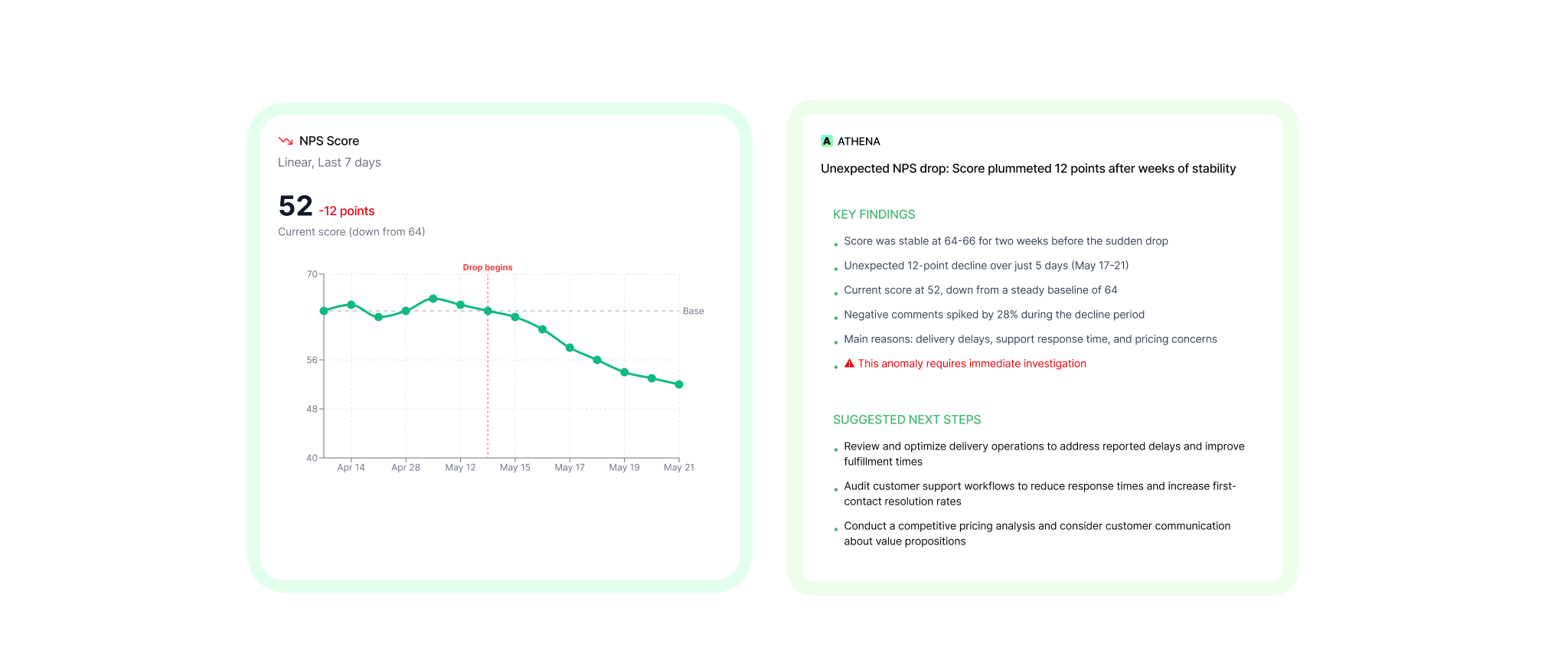
Athena is an always-on AI Customer Intelligence Agent. It analyzes feedback, surfaces insights, predicts churn risk, and tells you exactly what to fix to improve CSAT, NPS, and retention.

Athena preview
AI survey generator and AI questionnaire generator example

How to use the free AI survey generator and questionnaire maker

Four steps from an idea to a survey people actually finish. What you write in the first step decides most of the result.

  • Describe the goal, not the questions

    Write down the decision the answers should help you make and who you are asking. "I want to know why customers stop using the app in the first week" produces a far better draft than "app survey". Add the number of questions, the tone and the language, and the AI has everything it needs.

  • Choose a length people will finish

    Five to eight questions keep completion rates high; long questionnaires get abandoned halfway through. If you need more, ask the AI to split the survey into sections and hide the follow-ups behind logic, so nobody has to answer everything.

  • Read the draft as a respondent

    Cut every question you would not act on, remove leading wording and check that the scales are labelled consistently. Each question stays editable, and you can ask the AI to rewrite a single one instead of starting over.

  • Brand it, then choose the channel

    Add your logo, colours and your own domain, then decide how people get the survey: an email invitation, a shared link, a QR code, a widget on your website or a prompt inside your app. The same generated survey works in all of them.

AI survey builder features

Start for free

A survey from one sentence

Write what you want to find out and get a complete draft

The right question types

Scales, single choice and open questions picked to fit the goal

Tone of voice

Formal, friendly or short, matched to who you are asking

Any language

Generate the survey in the language your respondents speak

Suggested logic

Follow-up questions appear only for the people they concern

Proven metrics built in

NPS, CSAT and CES phrased the way the methodology intends

Improve existing questions

Paste your own draft and get a clearer, less leading version

Start from a template

Pick a proven survey and let AI adapt it to your case

Ready in a minute

From an idea to a survey you can send before the coffee cools

Full control after generating

Every question stays editable, nothing is locked

Athena analyses the answers

Open answers get grouped into themes with sentiment attached

Distribution suggestions

Advice on the channel and the moment worth asking in

Beautifully crafted survey builder

  • Survey questions

    25+ question types

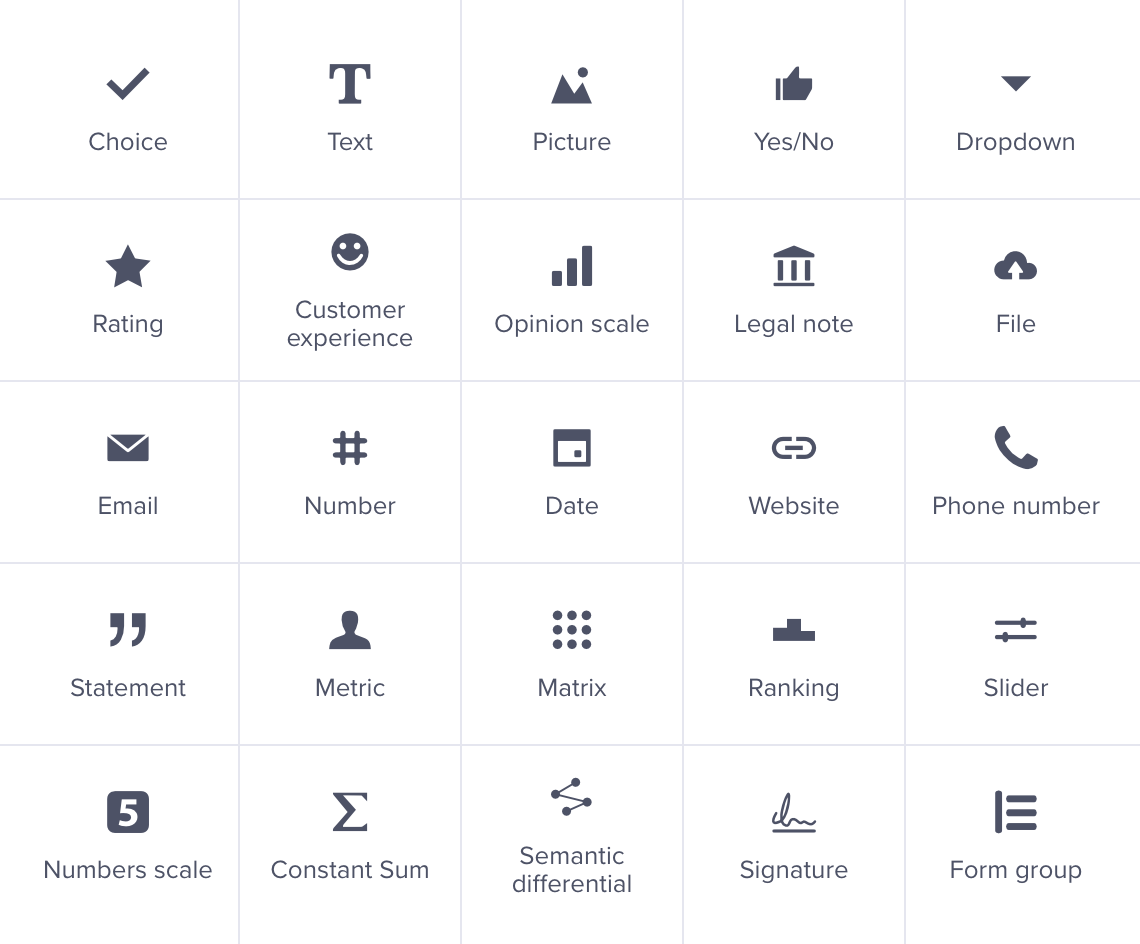
    Add question types that make people want to answer. Choose from over 25+ different question types, ranging from simple to advanced. With this wide selection, you'll find everything you need to engage your audience.

    More about question types
  • Survey Integrations

    Automation & Integration

    Automate your workflows with our automation tools. Schedule the sending of surveys and create custom notifications. Integrate your form with over 100 apps, or create a custom integration using our API.

    All Integrations
  • Calculator

    Calculator

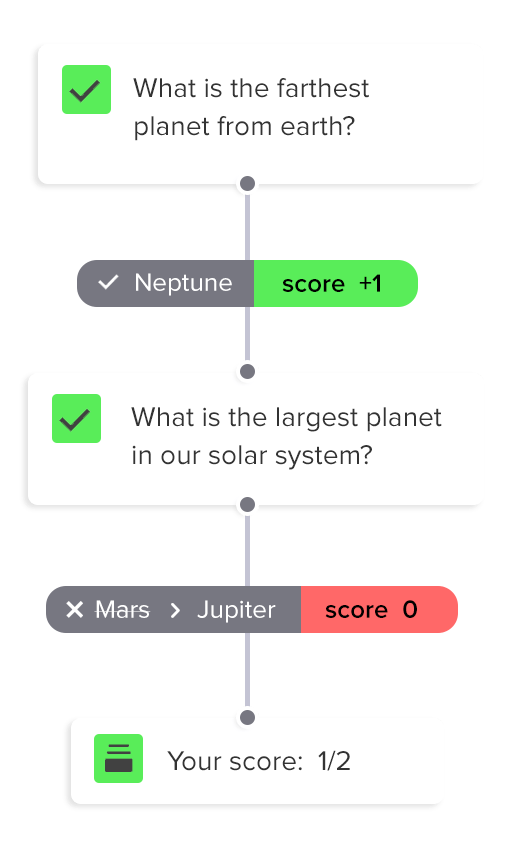
    Use calculator to compute scores, prices, and other variables based on people's responses. You can display the scores wherever you want and create different end pages based on the score.

  • Logic Branching

    Skip Logic

    In a survey, only certain respondents need to see all the questions. To achieve this, show people only the questions that are relevant to them. You can easily hide other questions using skip logic rules.

  • Hidden vars

    Hidden variables

    Pass the information you know to the form and display it where you want. You can personalize the form by welcoming people with their name, or leave a promo code after they complete the survey.

  • Multilingual surveys

    Multilingual surveys

    Create multiple translations for a single survey. Allow respondents to select their preferred language or switch between languages. You can also automate translations by using translation services.

effect
effect

Enterprise grade security

effect
  • GDPR compliant

    We're compliant with General Data Protection Regulation (GDPR) that businesses in Europe must comply with when processing personal data.

  • CCPA compliant

    USA state of California introduces California Consumer Privacy Act (CCPA) that defines how to handle users' personal data.

  • SSL & 2-Factor Authentication

    All connections are protected by TLS 1.2 and AES with a 256-bit key. Enable 2-Factor Authentication for even better security.

  • SSO

    Sign up users with Single Sign-On (SSO) and manage their access to your team. Set permissions and resource access.

Customer reviews

Teams that build surveys faster

G2
4.9/5

AI survey generator FAQ

What is an AI survey generator?

An AI survey generator turns a description of what you want to learn into a ready questionnaire. You write one or two sentences about the goal and the audience; the AI picks the question types, puts them in order, writes the welcome and thank-you messages and suggests follow-up logic. Instead of a blank page you get an editable draft in the builder in about 20 seconds.

Is the AI survey generator free?

Yes. Generating surveys is part of the free plan — no credit card and no time limit on the account. Paid plans raise the monthly response limit and add custom branding, advanced logic and higher limits for AI analysis; see the pricing page for what each plan includes.

How long does generating a survey take?

About 20 seconds for a typical survey of five to ten questions. Longer questionnaires with several logic branches take a little more, but you are always comparing seconds with the hour or two it takes to write the same survey by hand.

What questions can the AI write?

All 25+ question types available in the builder: open text, single and multiple choice, rating scales, Likert matrices, ranking, sliders, points allocation, file upload and date, plus the standard metrics — NPS, CSAT and CES with the wording their methodology requires. The AI chooses the types that fit your goal and you can swap any of them afterwards.

Is this also an AI survey maker, builder and creator?

It is the same tool under different names. An AI survey maker, AI survey builder and AI survey creator all describe what happens here: a prompt goes in, a complete survey comes out, and it opens in the survey builder where you keep full control over questions, design and logic.

Does it work as an AI questionnaire generator?

Yes. Describe the research you are running and the AI questionnaire generator writes a structured questionnaire — sections in a logical order, one idea per question and consistent scales. The same questionnaire maker handles market research, HR surveys and academic questionnaires; you only change the prompt.

Can I generate the survey in another language?

Yes. Name the language in your prompt and the survey is generated in it. You can add more languages to the same survey, so respondents see it in their own, and answers come back translated for analysis — one report instead of one per market.

Can AI answer or fill in a survey for me?

No, and on purpose. The generator writes questions, not responses — a survey filled with AI-generated answers gives you data you cannot act on. If you are worried about junk answers in real research, the builder blocks duplicate submissions, limits how long a survey stays open and how many answers it accepts, and lets you delete responses that do not look genuine.

Can I generate a quiz or a knowledge test with AI?

Yes. A version tuned for scoring powers our quiz maker and test maker: give it the topic or paste the material and it writes the questions, the answer options and the correct answers, with points and a result screen at the end.

Can AI analyse the responses too?

That is what Athena does. It groups open-ended answers into themes with sentiment, tracks how NPS and CSAT move, flags churn risk and points at the thing worth fixing first — so the AI helps at both ends, writing the survey and reading the answers.

Do I have to keep the questions the AI wrote?

No. Nothing is locked after generating: edit, reorder or delete any question, change the scales, rewrite the logic or ask the AI to redo a single question in a different tone. Most people generate a draft, cut two questions and send it.

Which AI survey tools are worth comparing?

It depends on what happens after the questions are written — most AI survey tools stop at generating them. We compared the options, including where each one falls short, in our roundup of the best AI survey generators, and the prompts themselves are covered in the guide to the AI survey question generator.
Talk to us!